Navigating the Health Identifier Service API Integration
Cross-posted from LinkedIn.
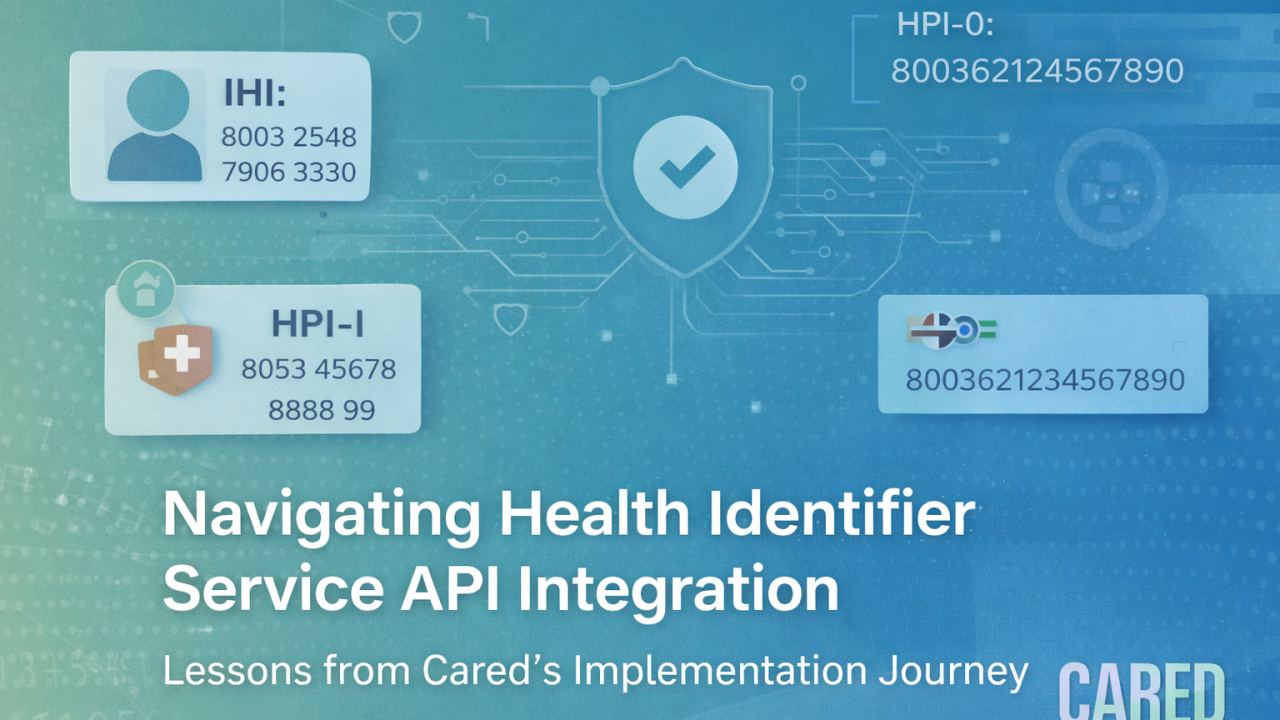
Disclaimer: This article describes the implementation experience of the Cared engineering team integrating the Healthcare Identifiers Service. It is intended to complement — not replace — the official implementation guidance available through the Digital Health Implementer Hub provided by the Australian Digital Health Agency.
Lessons from Cared’s Implementation Journey
At Cared, we recently completed integration with the Healthcare Identifiers (HI) Service API and successfully passed the full conformance assessment with Services Australia.
During our implementation, we learned a great deal about how the process works in practice. We are sharing our experience to help other software teams understand the integration journey and prepare their development work.
Importantly, many of the challenges we encountered early in our implementation have since been addressed through the Digital Health Implementer Hub provided by the Australian Digital Health Agency.
The Implementer Hub provides a structured entry point for organisations integrating national digital health services: Digital Health Implementer Hub.
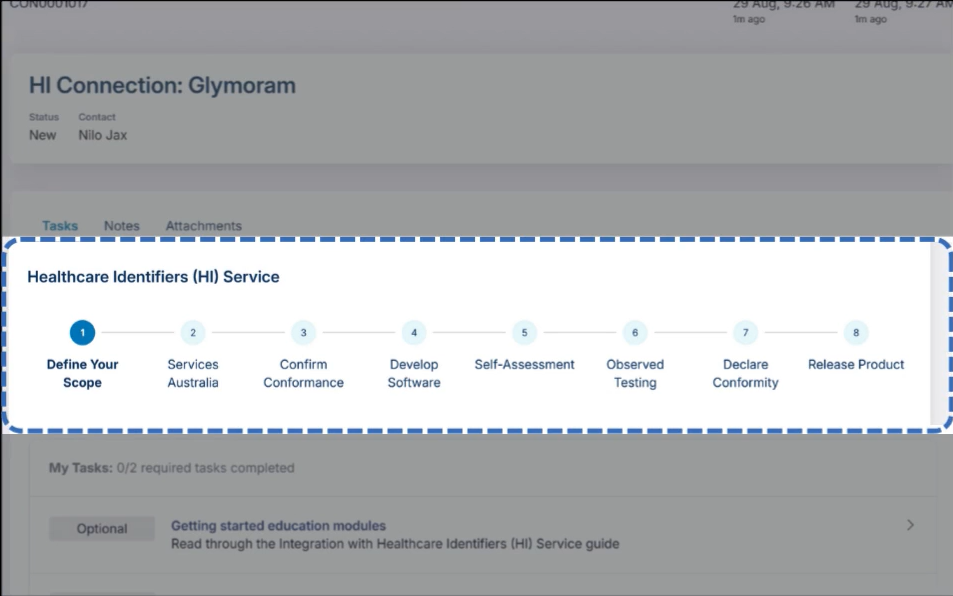 The Digital Health Implementer Hub
We strongly recommend beginning there, as it now provides clearer guidance across the entire onboarding and conformance process.
This article therefore reflects our implementation experience, which occurred while the ecosystem and guidance were still evolving. Your experience may be smoother due to the improvements that have since been introduced.
First Steps: Administrative Setup (Before You Write Any Code)
Before beginning technical development, software teams will complete several administrative steps to gain access to the HI Service developer environments.
Your most important ally
During our implementation, we found the following contact especially helpful when questions arose:
developerliaison@servicesaustralia.gov.au
This contact point can assist with questions relating to onboarding, testing environments, and integration requirements.
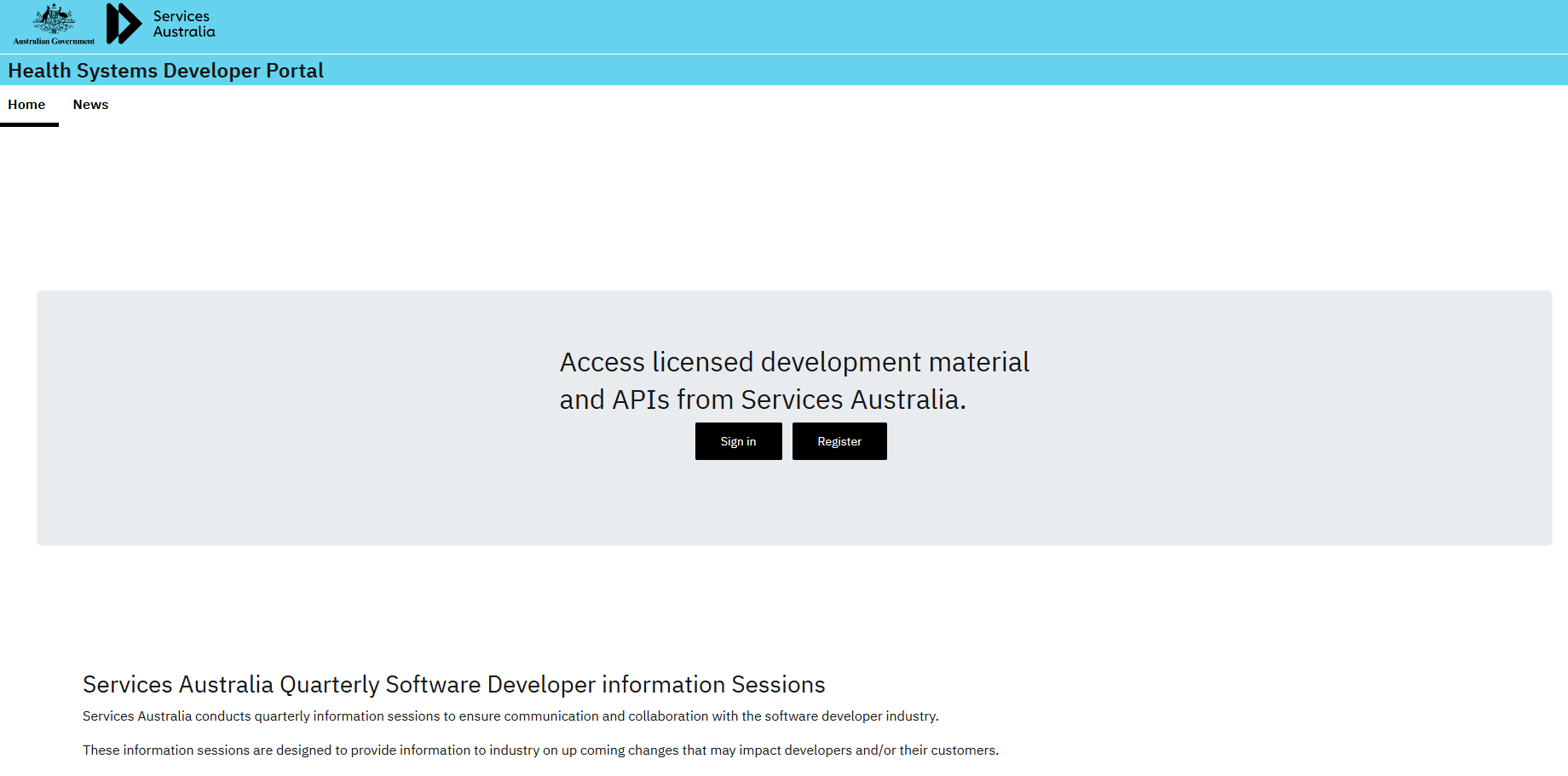 The Health Systems Developer Portal
Accessing the Health Systems Software Developer Portal
The Health Systems Software Developer Portal provides access to the technical documentation and testing environments required for HI Service integration.
A few practical points for teams preparing to access the portal:
- Access is linked to individual PRODA accounts, rather than organisational accounts
- The first developer in an organisation establishes access and can then invite additional team members
- Developers located outside Australia may undergo additional cybersecurity verification steps
Once access is established, the portal provides:
- Technical documentation
- API endpoints
- Test environments
- Conformance processes
Registering Your Application (This Unlocks Everything)
Within the portal, you’ll need to “Create an application for the Healthcare Identifiers Service”.
This step registers the software product in the HI Software Vendor Test environment and provides the credentials required for development.
Typically, this includes:
- A NASH PKI certificate
- A test web-services endpoint
- Registered product information used in API requests
- Test identity datasets used during development and conformance testing
Once these credentials are issued, development teams can begin building their integration.
Backend Development: Welcome Back to SOAP
The HI Service API uses an XML-based SOAP protocol, which reflects the long-standing interoperability architecture used in national digital health infrastructure.
For teams using the .NET platform, the ADHA provides a vendor library that can simplify implementation:
AuDigitalHealth/hi-b2b-client-dotnet - Vendor .NET Library for searching IHI, HPI-I, and HPI-O identifiers.
At Cared, we wrapped this as a DLL and integrated it into our backend services, which accelerated development.
A similar implementation library is also available for Java:
AuDigitalHealth/hi-b2b-client-java - Java library with example client implementations of Healthcare Identifiers (HI) Service.
For teams using other technology stacks, the extensive documentation available through the developer portal provides the information required to construct the SOAP requests and responses.
Frontend Work: Making Identifiers Usable
Once the backend integration is functioning, the application user interface must support the required identifier workflows.
At minimum, your UI must support:
- Searching for a patient’s Individual Healthcare Identifier (IHI)
- Searching for a provider’s Healthcare Provider Identifier – Individual (HPI-I)
- Clearly displaying identifier status and any relevant validation responses
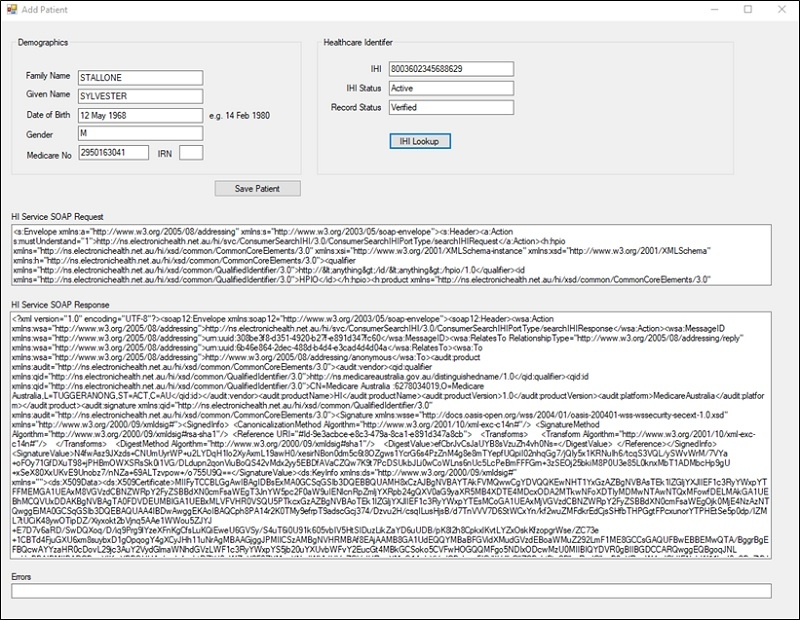 Frontend Requirements
Systems that support multiple organisations may also require configuration for Healthcare Provider Identifier – Organisation (HPI-O).
We found it very helpful to base our designs on the reference flows published by ADHA:
- IHI Lookup (patients)
- HPI-I Search (providers)
Even rough wireframes help clarify:
- What user action triggers an HI call
- What statuses must be handled
- What errors must be surfaced
These examples provide useful guidance for designing compliant requests for testing the API, retrieving a result and displaying it.
Understanding Conformance: Two Very Different Steps
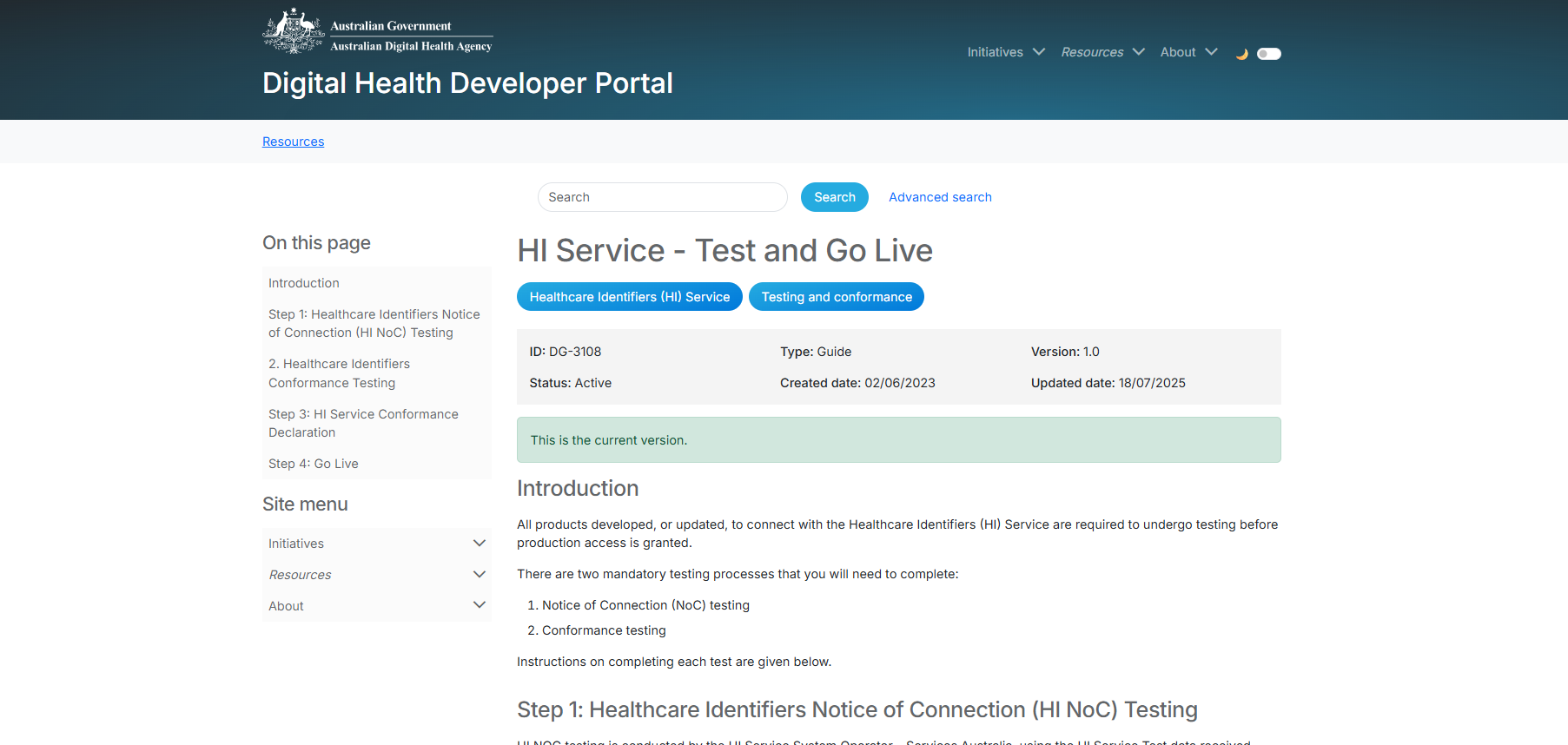 Conformance Requirements Steps
HI Service conformance involves two key stages.
1. Notice of Connection (NOC)
Once you’ve managed to make requests to the API, you should go through NOC testing.
The Notice of Connection (NOC) confirms that the software can successfully communicate with the HI Service, i.e. successfully submitting queries.
Follow the instructions here: HI Service - Test and Go Live | Digital Health Developer Portal - the NOC is organised through the Portal and can be rescheduled if needed.
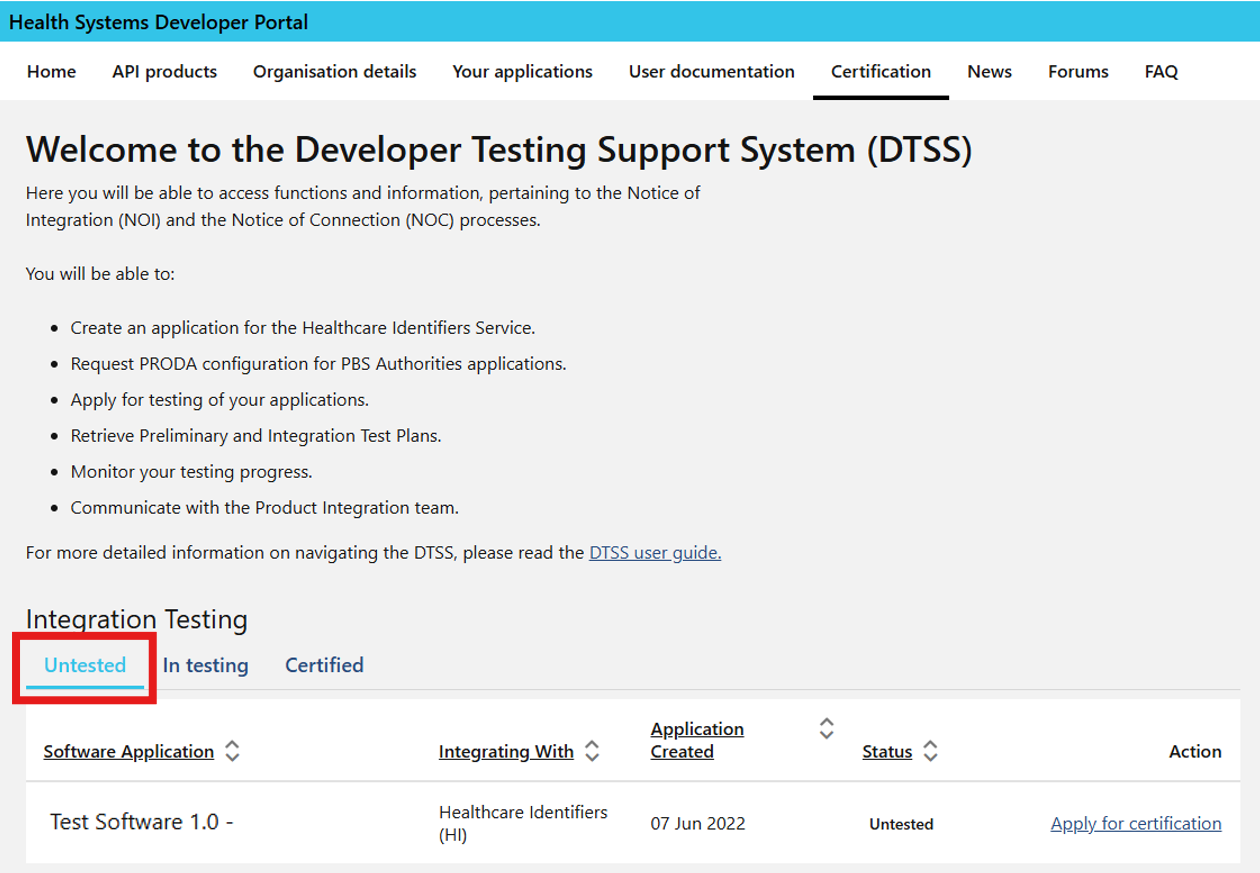 Notice of Connection (NOC) in Developer Portal
The NOC confirms:
- The application can establish a connection
- Requests are correctly structured
- Responses are processed correctly
Successful completion of NOC indicates that the technical connection to the HI Service has been established correctly.
When we passed NOC, it was a huge relief. It meant we were technically on the right path.
2. Observed Conformance Assessment
The second stage is the observed conformance assessment, conducted together with a Services Australia test engineer. This is the real test.
During this session, the software vendor demonstrates that the system correctly handles the required scenarios defined in the conformance specifications.
You’ll meet with a Services Australia Test Engineer and walk through:
- Test cases and expected outcomes
- Application logs and SOAP message exchanges
- User interface behaviour
- Identifier status transitions
Nothing is hypothetical — everything must be demonstrated with proof that all conformance requirements are being handled correctly.
Preparing for Conformance Testing
In our experience, preparation for the observed assessment represents a significant portion of the implementation effort.
The real challenge isn’t making HI calls — it’s handling every possible identifier state correctly.
To prepare for these tests, you need to make sure that your application is covering all the required conformance conditions. We received a lot of test data files and a lot of different specifications of what tests we need to pass but only realised during the first meeting what really mattered.
Our strongest recommendation
A practical approach we found effective was to build automated tests that correspond directly to these conformance scenarios.
Use the HI Service Conformance Test Specification to drive test automation in your system.
This document tells you:
- What scenarios must be supported
- Which are optional
- Which are mandatory
This approach allowed us to:
- Confirm that each requirement was implemented correctly
- Re-run tests quickly after changes
- Ensure that edge cases remained supported over time
What it doesn’t give you is usable test data.
For that, you must cross-reference with the HI Service Conformance Test Data.
This means manually matching:
- A test identity (client for IHI or practitioner for HPI-I)
- Their status
- A specific conformance requirement/test case
Linking these test identities with the relevant conformance scenarios allows teams to build comprehensive test coverage prior to the observed assessment and to maintain conformance going forwards.
The Observed Assessment: Thorough & Fair
Before the assessment, you must complete two documents:
These documents record how the application implements the required conformance scenarios and the results of internal testing.
Send these to help@digitalhealth.gov.au to request your observed assessment appointment.
What you can expect from the assessment:
- 2–3 days of joint review work (active for around 6 hours a day)
- Deep inspection of logs and payloads incl. SOAP packets
- UI walkthroughs
- Status edge-cases and status transitions checks
- Evidence requests
Our first attempt surfaced multiple gaps. We fixed them, re-sat the assessment about a month later — and then passed cleanly.
This process provides a detailed verification that the software behaves correctly in all required situations.
A tip: Be kind to your testers. They’re not being pedantic — they’re ensuring national infrastructure behaves safely for everyone.
Production Access: The Final Stretch
Once you pass conformance, you’ll move into production onboarding. You’ll need to change the API endpoint and the related SSL certificates.
For provider organisations to get access, they also need a HPI-O and a certificate:
- Registering for a HPI-O via PRODA (you’ll again need to use your personal PRODA login) and HPOS
- Requesting a production NASH PKI certificate once you have a HPI-O through the following steps in HPOS (again logged in as personal)
Once these credentials are established, the system can communicate with the live HI Service.
Final Thoughts
Passing HI conformance is hard — but it’s also one of the most rigorous and confidence-building certification processes we’ve experienced.
When you finally receive that conformity letter, you know your system:
- Handles identifiers safely
- Respects national standards
- Is ready to interoperate at scale
If you’re on this journey now: You’ve got this — and hopefully this post makes the road a little clearer.
The new Digital Health Implementer Hub will certainly simplify your path and provides a clear starting point for organisations beginning this journey - we encourage all teams to begin there.
We hope that sharing our experience helps other implementers prepare their development work and successfully complete their own HI Service integration.